tallshot
CHROME EXTENSION · MANIFEST V3

Screenshots that stay on your machine

Capture a tab or a whole scrolling page, annotate and redact it, then export PNG, JPG, or a smart-split PDF. No upload, no account, no tracking.

Add to Chrome — free See what it does
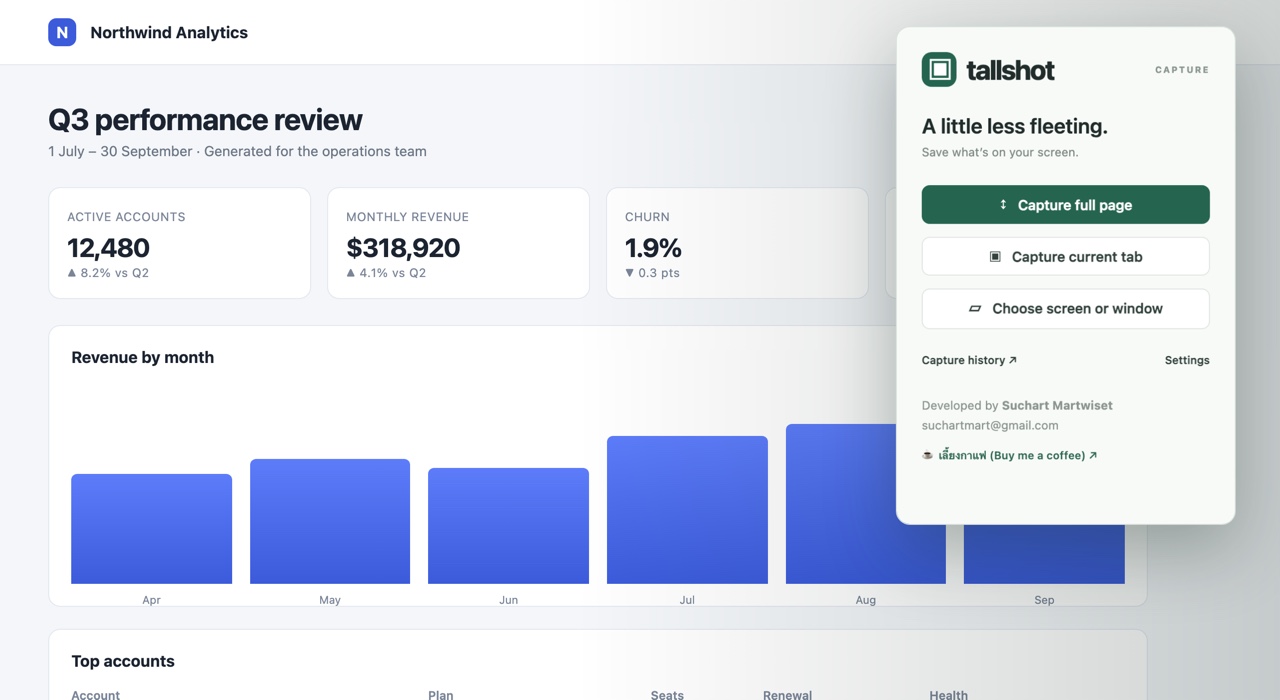
The Tallshot popup open over a web page, offering full-page capture, current-tab capture, and screen or window capture.

One click from the toolbar. Three ways to capture.

What it does

Everything below runs locally in your browser. Nothing is sent anywhere.

↕ Full-page capture

Scrolls the page top to bottom and stitches every screen into one tall image. Content that loads while scrolling is included, sticky headers are hidden so they do not repeat, and your scroll position is restored afterwards.

▣ Tab, screen, or window

Grab the visible area of the current tab, or use Chrome's picker to capture any screen, application window, or another tab. Sharing stops the moment the image is taken.

✎ Annotate

Freehand pen, rectangles, and text in four stroke widths and any colour — drawn straight onto the capture.

◌ Erase, not undo

Rub out part of a stroke without losing the whole thing. The eraser paints back the real pixels from the screenshot underneath, so it never leaves a white hole.

▰ Redact

Cover sensitive details with a solid block. Once you save, the covered pixels are gone from the stored copy — not just hidden from view.

⌗ Crop

Trim to the part that matters. Undo and redo stay accurate across crops, in both directions.

↓ PNG, JPG, PDF

Export in A4 portrait, A4 landscape, or the whole image on a single page — with the source URL and capture time in the footer if you want them.

⌸ Smart page splitting

Long screenshots do not have to break mid-sentence. Tallshot checks the pixels near each page boundary and cuts on the clearest row it can find.

▧ Local history

Every capture is saved with its URL and timestamp, searchable, and reopenable in the editor. It lives in this Chrome profile on this computer only.
The whole page, not just the screen

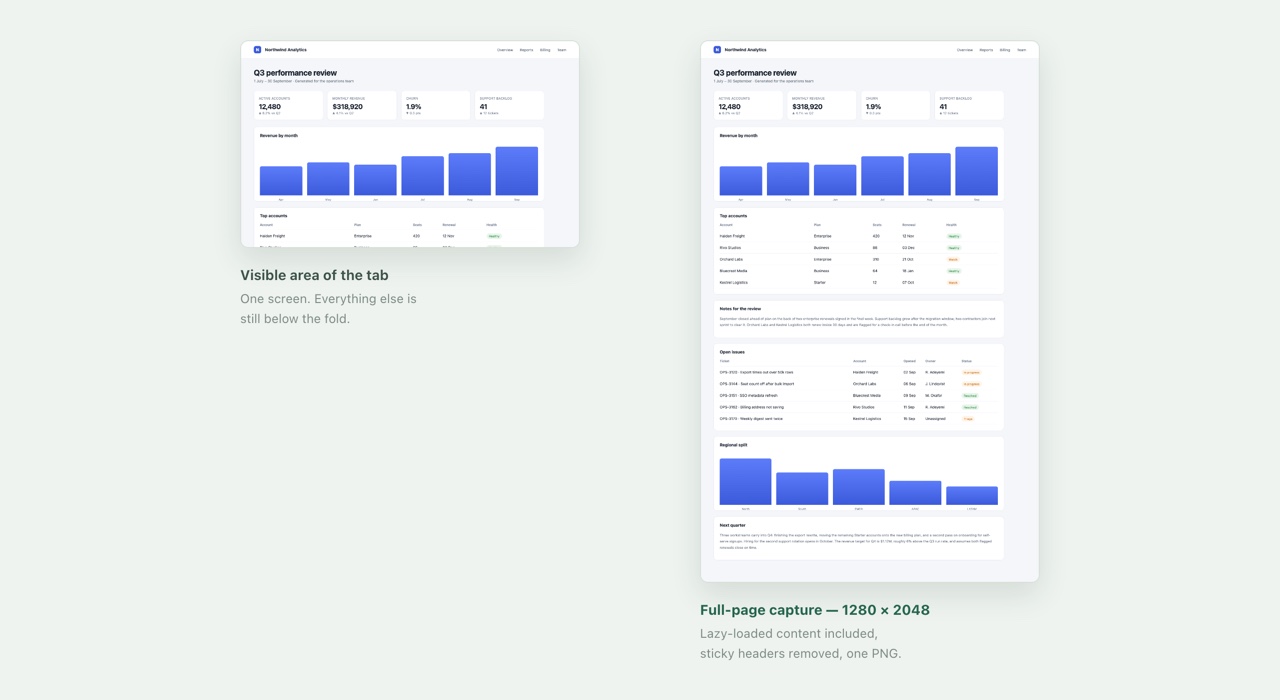
A long report, an invoice, a dashboard, an article — Tallshot captures the entire scroll and hands you one image. Up to 32,760 pixels per side and 100 million pixels in total.

Side-by-side comparison: the visible area of a tab next to the same page captured in full at 1280 by 2048 pixels.
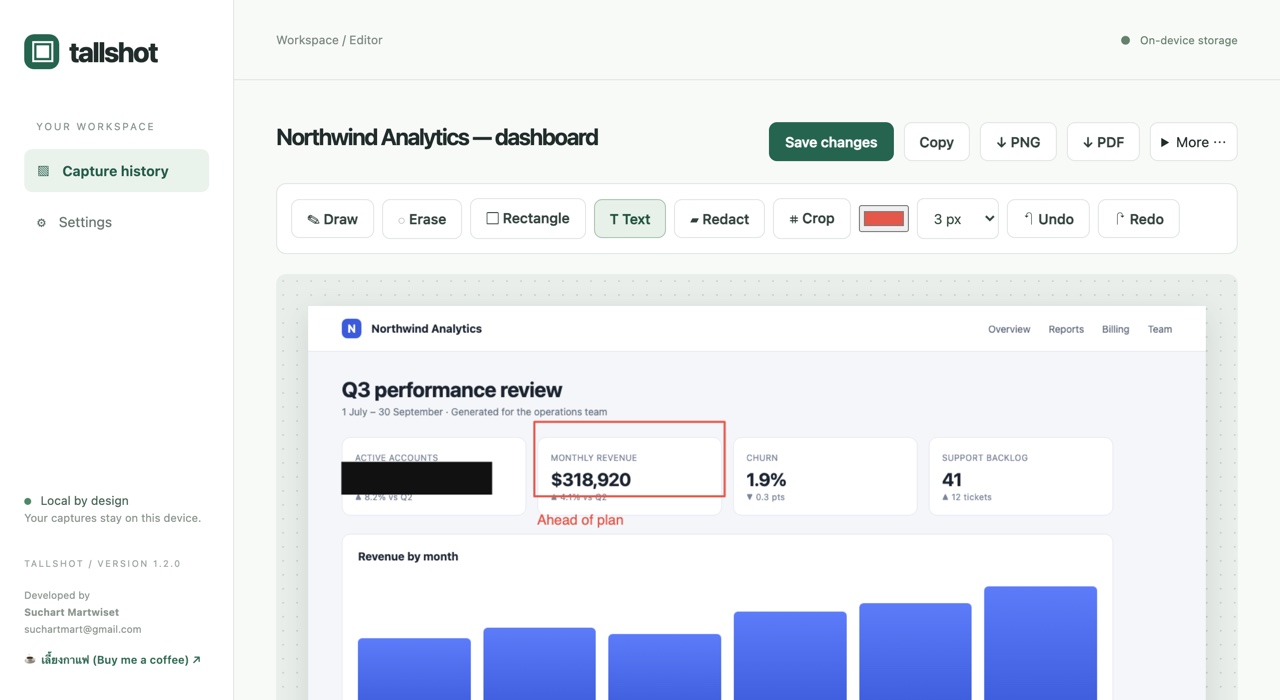
The Tallshot editor with a redaction block over a figure, a red rectangle framing a metric, and a text label added.

Mark it up before you share it

Draw, box, label, redact, crop — then copy it to the clipboard or download it. The editor opens with the capture already loaded; there is no upload step and no round trip to a server.

A history you actually own

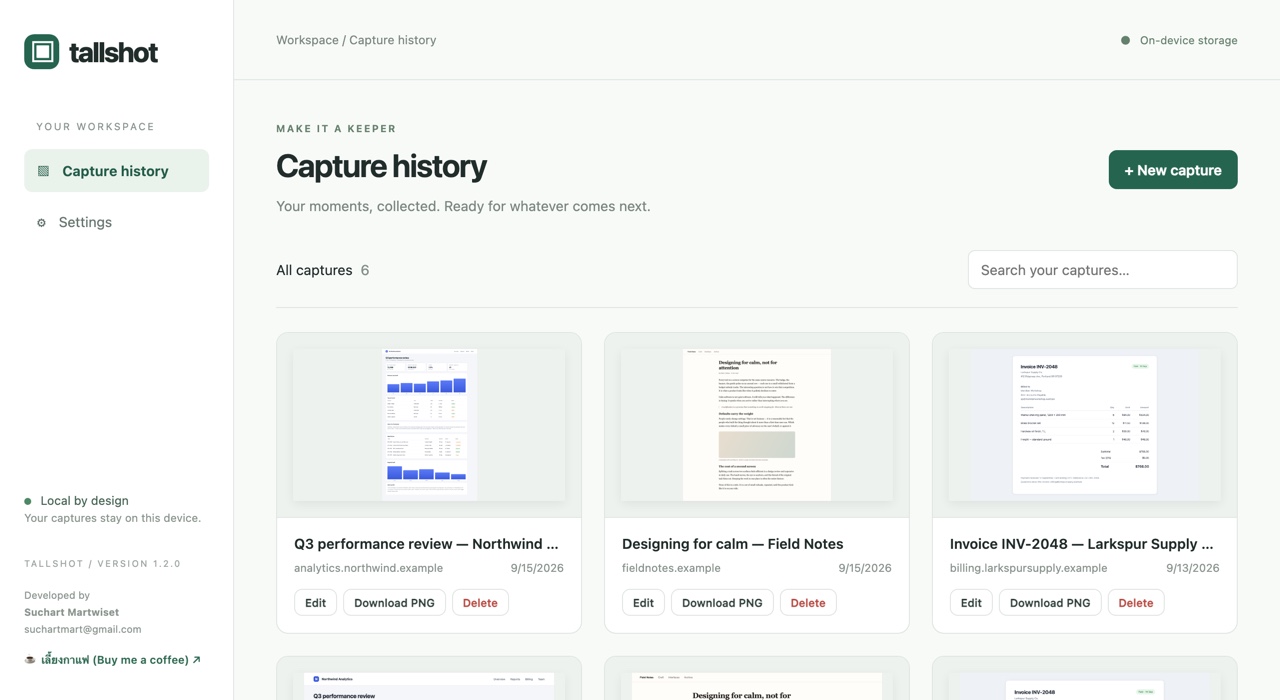
Captures are stored in your browser profile, on your disk. Search them, reopen them, download them again, or delete them. Uninstalling Tallshot removes them with it.

The Tallshot capture history, showing six saved screenshots in a searchable grid.

Privacy, in one screen

Tallshot has no backend. There is nowhere for your screenshots to go.

Read the full privacy policy →

Permissions

Tallshot asks for four permissions and uses each one for exactly one thing.

PermissionWhy it is needed
activeTab, scriptingRead the current tab's dimensions, capture it, and scroll it during a full-page capture. Only on the tab you explicitly capture.
storageKeep your settings and capture history on this device.
downloadsSave PNG, JPG, and PDF files into your Downloads folder.
clipboardWriteCopy a capture to the clipboard when you press Copy.

Limits worth knowing